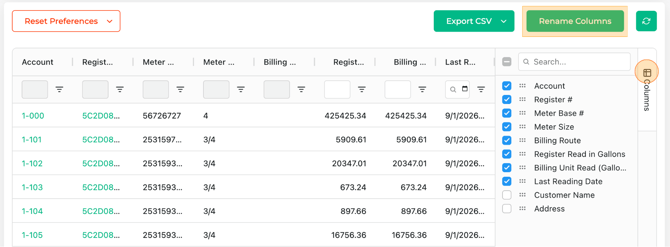
Tip: Your default view settings and column options are stored locally in your browser. If you switch to a different computer or clear your cookies, you will lose your settings.
View Settings and Filters

View Settings: Set if your billing export should be in CF, CCF, Gallons, or Cubic Meters.
Lookback Period: Define your preferred period, choosing from 3 Days, 5 Days, and 7 Days.
Read Status: Confirm if your export should come With Reads or No Reads.
Billing Routes: Select the billing routes you wish to include in the export.
Lookback Date: End date of historical period to look back over. Defaults to today.
Configure and Export CSV
In the table view, you can select the Columns you want to include in your export. By selecting Rename Columns, you can also re-label the columns to match your billing system.
When your view matches the format you need, click Export CSV to export.